DynamoDB Database Layer
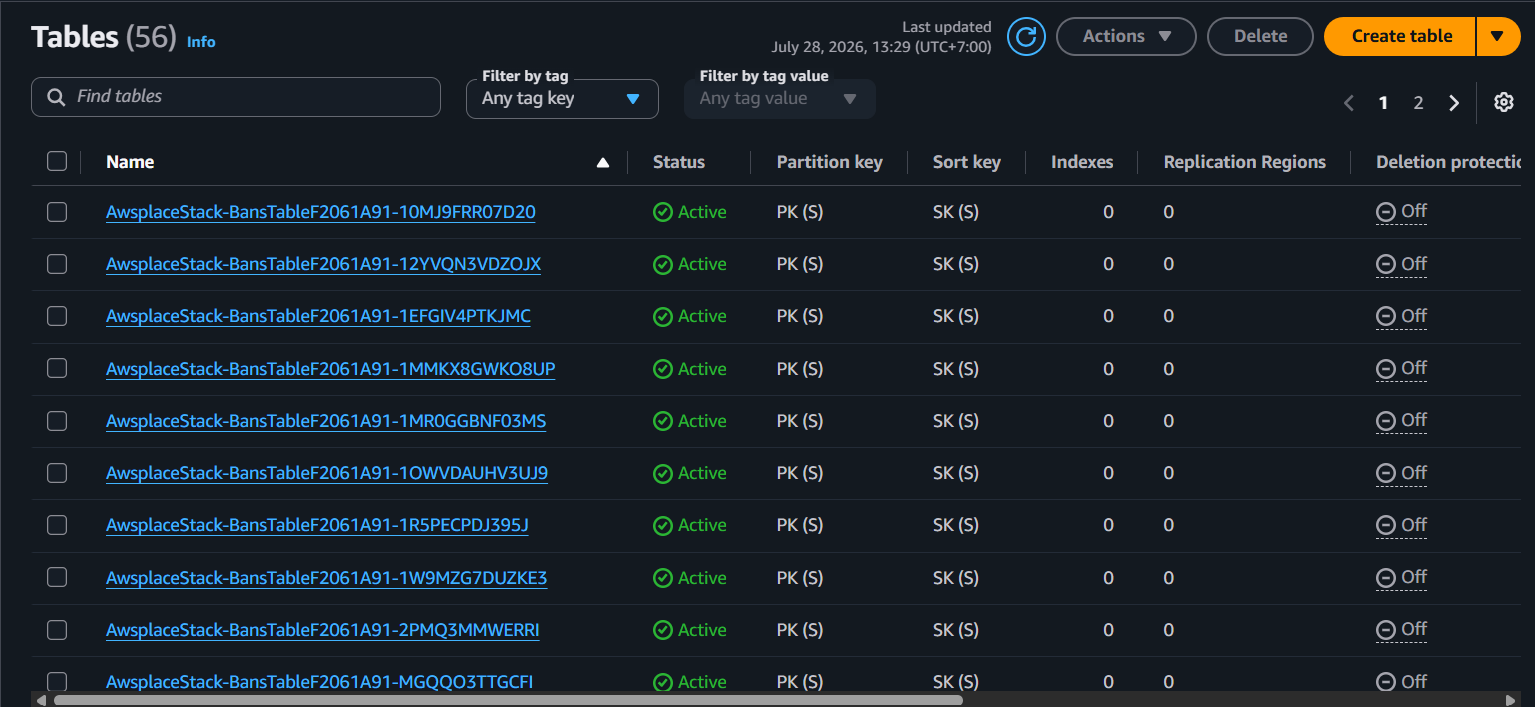
The database module (createDatabase) defines 4 DynamoDB tables using the TableV2 construct — the recommended CDK DynamoDB API. All tables use on-demand billing (Billing.onDemand()) with no provisioned capacity, meaning the application pays per request rather than per provisioned capacity unit.
Module overview
| Aspect | Detail |
|---|---|
| File | lib/database.ts |
| Function | createDatabase(scope: Construct): DatabaseOutput |
| Resources | 4 dynamodb.TableV2 |
| Return type | { configTable, bansTable, milestonesTable, historyTable } |
1. Table Definitions
export function createDatabase(scope: Construct): DatabaseOutput {
  const configTable = new dynamodb.TableV2(scope, 'ConfigTable', {
    partitionKey: { name: 'PK', type: dynamodb.AttributeType.STRING },
    sortKey: { name: 'SK', type: dynamodb.AttributeType.STRING },
    billing: dynamodb.Billing.onDemand(),
  });

  const bansTable = new dynamodb.TableV2(scope, 'BansTable', {
    partitionKey: { name: 'PK', type: dynamodb.AttributeType.STRING },
    sortKey: { name: 'SK', type: dynamodb.AttributeType.STRING },
    billing: dynamodb.Billing.onDemand(),
  });

  const milestonesTable = new dynamodb.TableV2(scope, 'MilestonesTable', {
    partitionKey: { name: 'PK', type: dynamodb.AttributeType.STRING },
    sortKey: { name: 'SK', type: dynamodb.AttributeType.STRING },
    billing: dynamodb.Billing.onDemand(),
    globalSecondaryIndexes: [
      {
        indexName: 'TriggerAtIndex',
        partitionKey: { name: 'PK', type: dynamodb.AttributeType.STRING },
        sortKey: { name: 'triggerAt', type: dynamodb.AttributeType.NUMBER },
        projectionType: dynamodb.ProjectionType.ALL,
      },
    ],
  });

  const historyTable = new dynamodb.TableV2(scope, 'HistoryTable', {
    partitionKey: { name: 'PK', type: dynamodb.AttributeType.STRING },
    sortKey: { name: 'SK', type: dynamodb.AttributeType.STRING },
    billing: dynamodb.Billing.onDemand(),
    globalSecondaryIndexes: [
      {
        indexName: 'XOriginalIndex',
        partitionKey: { name: 'PK', type: dynamodb.AttributeType.STRING },
        sortKey: { name: 'x_original', type: dynamodb.AttributeType.NUMBER },
        projectionType: dynamodb.ProjectionType.INCLUDE,
        nonKeyAttributes: ['y_original', 'offset_x', 'offset_y', 'colorIndex'],
      },
    ],
  });

  return { configTable, bansTable, milestonesTable, historyTable };
}
2. Table Design: Single-Table-Design-Lite
All four tables share a common design pattern: a composite primary key of PK (Partition Key, STRING) and SK (Sort Key, STRING). Each entity type uses a distinct PK prefix rather than living in separate columns — an approach the project calls “single-table-design-lite.”
a) Config Table
| Attribute | Value |
|---|---|
| Primary Key | PK (STRING), SK (STRING) |
| GSIs | None |
| Item count | 1 (singleton) |
| Access pattern | Read on every server startup; write on admin config change |
Item structure:
| PK | SK | Additional Attributes |
|---|---|---|
| CONFIG | SINGLETON | width, height, cooldownMs, globalOffsetX, globalOffsetY, locked |
{
  "PK": "CONFIG",
  "SK": "SINGLETON",
  "width": 960,
  "height": 540,
  "cooldownMs": 300000,
  "locked": false
}
b) Bans Table
| Attribute | Value |
|---|---|
| Primary Key | PK (STRING), SK (STRING) |
| GSIs | None |
| Access pattern | Lookup by user ID or IP address |
Item structure:
| PK | SK | Additional Attributes |
|---|---|---|
| BAN#user# | BAN | reason, bannedBy, bannedAt, expiresAt |
| BAN#ip# | BAN | reason, bannedBy, bannedAt, expiresAt |
{ "PK": "BAN#user#123456789", "SK": "BAN", "reason": "spam", "bannedAt": 1700000000 }
{ "PK": "BAN#ip#203.0.113.42", "SK": "BAN", "reason": "bot", "bannedAt": 1700000001 }
c) Milestones Table
| Attribute | Value |
|---|---|
| Primary Key | PK (STRING), SK (STRING) |
| GSI | TriggerAtIndex (PK, triggerAt NUMBER) |
| Access pattern | Query unfired milestones sorted by triggerAt ascending |
Item structure:
| PK | SK | GSI SK (triggerAt) | Additional Attributes |
|---|---|---|---|
| MILESTONE | epoch seconds | direction, amount, label, fired |
{
  "PK": "MILESTONE",
  "SK": "01ARZ3NDEKTSV4RRFFQ69G5FAV",
  "triggerAt": 1700000000,
  "direction": "expand",
  "amount": 200,
  "label": "First expansion",
  "fired": false
}
d) History Table
| Attribute | Value |
|---|---|
| Primary Key | PK (STRING), SK (STRING) |
| GSI | XOriginalIndex (PK, x_original NUMBER) |
| Access pattern | Rectangle queries by x_original range, filtered by y_original |
Item structure:
| PK | SK | GSI SK (x_original) | Projected Attributes |
|---|---|---|---|
| HISTORY | ts#<epoch_ms># | pixel x coordinate | y_original, offset_x, offset_y, colorIndex |
{
  "PK": "HISTORY",
  "SK": "ts#1700000000000#abc-def-ghi",
  "x_original": 42,
  "y_original": 100,
  "offset_x": 0,
  "offset_y": 0,
  "colorIndex": 5
}
3. Global Secondary Indexes (GSIs)
a) Milestones — TriggerAtIndex
- Purpose: Query milestones sorted by their trigger time, ascending. The scheduler polls this index to find unfired milestones whose triggerAt has passed.
- Projection: ALL — returns the full milestone item including direction, amount, label, and fired status. No follow-up query needed.
- Query pattern: PK = “MILESTONE” with triggerAt sorted ascending (ScanIndexForward: true), filtered by fired = false.
- Cost: Only the Milestones table has this GSI — a single index on a tiny table has negligible cost impact.
b) History — XOriginalIndex
- Purpose: Efficient rectangle queries on pixel history. The sort key (x_original) enables range queries on the X dimension; the Y dimension is handled via a filter expression.
- Projection: INCLUDE with specific non-key attributes (y_original, offset_x, offset_y, colorIndex). This minimizes read capacity — only the fields needed for rectangle rendering are projected. The full item (with timestamp, user ID, etc.) is not needed for canvas rendering.
- Query pattern: PK = “HISTORY” AND x_original BETWEEN x1 AND x2 with filter y_original BETWEEN y1 AND y2.
- Design rationale: DynamoDB GSIs can only have one range key condition. The X dimension uses the sort key (efficient range scan); the Y dimension uses a filter expression (scanned but discarded). This is the standard pattern for 2D range queries on DynamoDB.
4. Why On-Demand Billing?
| Table | Traffic Pattern | Why On-Demand |
|---|---|---|
| Config | Near-zero (read once at startup, written rarely) | Provisioned capacity would waste money |
| Bans | Very low (admin operations only) | Same — sub-1-RCU traffic |
| Milestones | Very low (a few items, queried periodically) | Same — sub-1-RCU traffic |
| History | Variable (spikes during placement events) | On-demand absorbs spikes without throttling; no capacity planning needed |
The History table is the only table with meaningful traffic, and its write pattern is spiky — users place pixels in bursts. On-demand billing absorbs these spikes automatically, while provisioned capacity would either throttle during spikes or waste money during quiet periods.
5. What’s NOT in DynamoDB
Two deliberate omissions in the database design:
a) No Canvas table
Canvas pixel data is not stored in DynamoDB. DynamoDB items have a 400 KB size limit — the canvas at 4 bits per pixel grows to 32 MiB at maximum dimensions (8000×8000 pixels at 4 bpp). The canvas binary is stored in S3 as a nibble-packed blob (canvas/canvas.bin).
b) No TTL on any table
No DynamoDB TTL is configured on any table:
- Cooldowns are managed in-memory by the Go server — no need for DynamoDB TTL-based expiry.
- Bans use an explicit expiresAt field checked in application code.
- The added complexity of TTL (eventual consistency, 48-hour deletion window) is not worth it for these access patterns.
6. IAM Permissions for Database Access
The ECS task role and Lambda execution role both receive DynamoDB permissions scoped to exactly these four tables and their indexes:
function allTableArns(db: DatabaseOutput): string[] {
  const tables = [db.configTable, db.bansTable, db.milestonesTable, db.historyTable];
  return tables.flatMap((t) => [t.tableArn, `${t.tableArn}/index/*`]);
}

db.configTable.grantReadWriteData(taskRole);
db.bansTable.grantReadWriteData(taskRole);
db.milestonesTable.grantReadWriteData(taskRole);
db.historyTable.grantReadWriteData(taskRole);
Using grantReadWriteData() (rather than hand-written policies) ensures the permissions are always correct — CDK generates the minimal policy with the exact table and index ARNs.