ECS Fargate Compute Layer
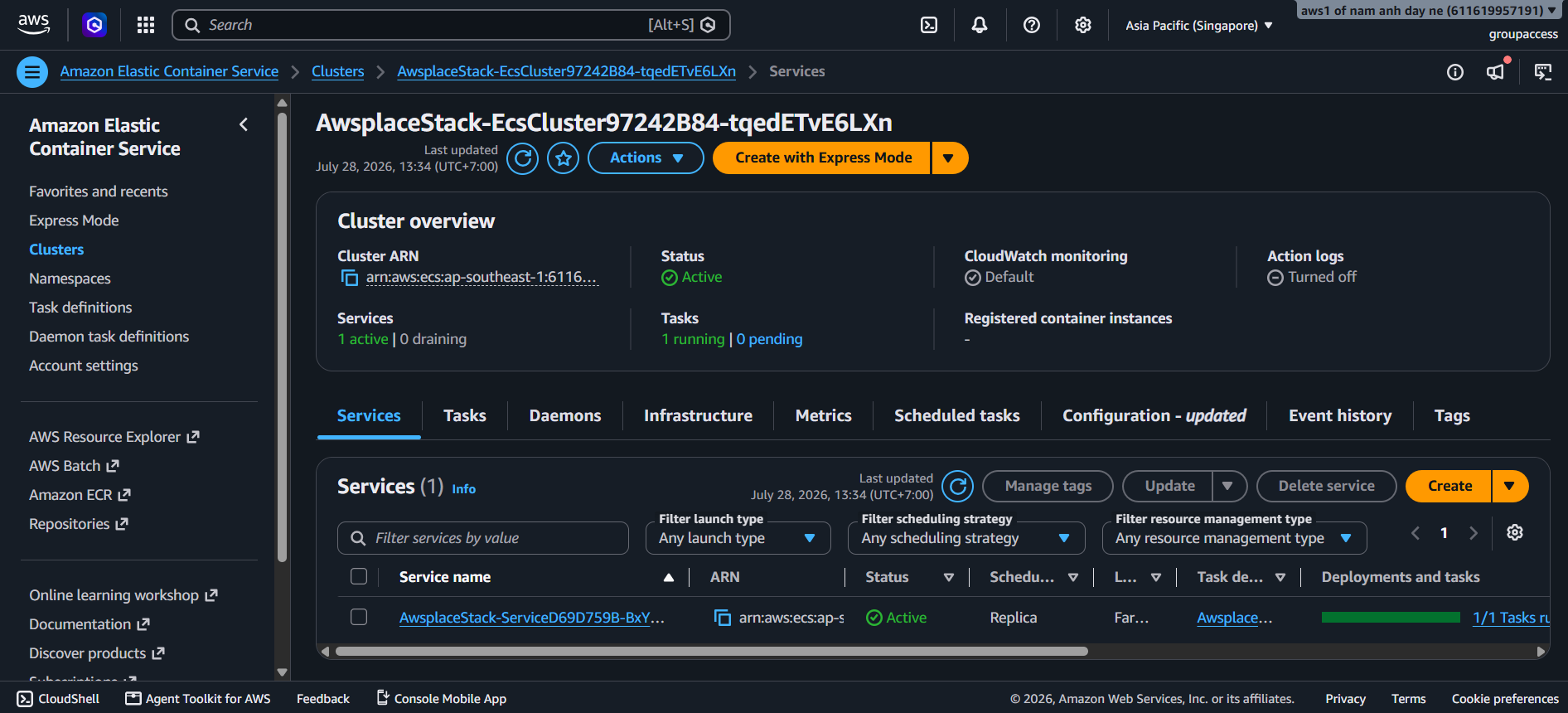
The ECS module (createEcs) is the most complex module in the CDK codebase. It defines the compute layer: an ECS Fargate cluster running a Go application container with a RaftDB sidecar, fronted by an Application Load Balancer (ALB) with HTTPS termination. It is always the last module called in the AwsplaceStack constructor because it references virtually every other resource.
Module overview
| Aspect | Detail |
|---|---|
| File | lib/ecs.ts |
| Function | createEcs(scope: Construct, input: EcsInput): EcsOutput |
| Resources | Fargate cluster, task definition (2 containers), Fargate service, ALB, HTTPS listener, target group, Route 53 ws. record |
| Return type | { cluster, service, taskDefinition, alb } |
1. Task Definition — Two Containers, One Task
The Fargate task runs two containers in a single task. They share the same ENI, the same EFS volume, and communicate over localhost.
| Container | Image Source | Port | User | CPU/Memory | Purpose |
|---|---|---|---|---|---|
| RaftDB (sidecar) | ECR (SHA256 digest) | 9100 | 10001:10001 (non-root) | Shared 1024/2048 | Raft consensus engine + WAL + canvas storage |
| App (Go server) | ECR (tagged image) | 8980 | Default | Shared 1024/2048 | HTTP/WebSocket application server |
Task resources: 1024 CPU units (1 vCPU) / 2048 MiB memory — shared between both containers.
Container dependency:
appContainer.addContainerDependencies({
  container: raftDbContainer,
  condition: ecs.ContainerDependencyCondition.HEALTHY,
});
The App container will not start until the RaftDB sidecar passes its health check. This prevents race conditions where the Go server tries to connect to RaftDB before it is ready.
2. RaftDB Sidecar Container
const raftDbContainer = taskDefinition.addContainer('RaftDb', {
  image: ecs.ContainerImage.fromEcrRepository(ecrRepo, raftDbImageDigest),
  user: '10001:10001',
  workingDirectory: '/data/raftdb',
  environment: {
    RAFTDB_PORT: '9100',
    RAFTDB_DATA_DIR: '/data/raftdb',
    RAFTDB_READY_FILE: '/tmp/raftdb-ready',
    RAFTDB_RESTORE_FROM_S3: 'false',
    RAFTDB_SNAPSHOT_BUCKET: raftDb.snapshotBucket.bucketName,
    RAFTDB_SNAPSHOT_PREFIX: 'production/member-1',
    RAFTDB_SNAPSHOT_INTERVAL_SECONDS: '300',
  },
  healthCheck: {
    command: ['CMD', '/usr/local/bin/raftdb-healthcheck'],
    interval: Duration.seconds(5),
    timeout: Duration.seconds(3),
    retries: 10,
    startPeriod: Duration.seconds(15),
  },
  stopTimeout: Duration.seconds(120),
  logging: ecs.LogDriver.awsLogs({ streamPrefix: 'raftdb' }),
});
Key configuration decisions
| Setting | Value | Why |
|---|---|---|
| Image reference | SHA256 digest (not tag) | Immutable — guarantees the exact tested image is deployed |
| User | 10001:10001 | Non-root container — follows security best practices |
| Working directory | /data/raftdb | EFS mount point — data persists across task restarts |
| Ready file | /tmp/raftdb-ready | Touch-based signal that RaftDB is accepting connections |
| Restore from S3 | false (production) | Production starts from existing WAL, not S3 snapshot |
| Snapshot interval | 300 seconds (5 min) | Periodic snapshots to S3 for disaster recovery |
| Health check | Custom script, 5s interval | Validates RaftDB is responding to internal health queries |
| Stop timeout | 120 seconds | Graceful shutdown — allows WAL flush and snapshot before termination |
| Start period | 15 seconds | Gives RaftDB time to replay WAL and open its port |
3. App Container (Go Server)
const appContainer = taskDefinition.addContainer('App', {
  image: ecs.ContainerImage.fromEcrRepository(ecrRepo, imageTag),
  portMappings: [{ containerPort: 8980 }],
  environment: {
    PORT: '8980',
    DATA_MODE: 'raftdb-only',
    BACKEND: 'raftdb',
    STORAGE: 'raftdb',
    RAFTDB_ADDR: '127.0.0.1:9100',
    AUTH_ENABLED: 'false',
    ALLOWED_ORIGINS: `https://${domainName}`,
    DDB_CONFIG: db.configTable.tableName,
    DDB_BANS: db.bansTable.tableName,
    DDB_MILESTONES: db.milestonesTable.tableName,
    DDB_HISTORY: db.historyTable.tableName,
    S3_CANVAS_BUCKET: storage.canvasBucket.bucketName,
    S3_EXPORTS_BUCKET: storage.exportsBucket.bucketName,
  },
  secrets: {
    SESSION_SECRET: ecs.Secret.fromSecretsManager(appSecret, 'SESSION_SECRET'),
  },
  logging: ecs.LogDriver.awsLogs({ streamPrefix: 'awsplace' }),
});
Key configuration decisions
| Setting | Value | Why |
|---|---|---|
| Image reference | Tag (commit SHA) | Application images use mutable tags for CI/CD roll-forward |
| DATA_MODE | raftdb-only | Production mode — all data flows through RaftDB |
| RAFTDB_ADDR | 127.0.0.1:9100 | Localhost — sidecar communication, no network hop |
| AUTH_ENABLED | false | Auth is handled by the Lambda/API Gateway layer, not ECS |
| ALLOWED_ORIGINS | https://${domainName} | CORS — matches the Amplify frontend domain |
| DynamoDB table names | Passed as env vars | The Go server uses the AWS SDK with these table names |
| SESSION_SECRET | From Secrets Manager | Never in plaintext env vars — injected at container startup |
| CloudWatch logs | awslogs driver, awsplace prefix | All app logs go to CloudWatch |
4. Fargate Service Configuration
const service = new ecs.FargateService(scope, 'Service', {
  cluster,
  taskDefinition,
  desiredCount: 1,
  minHealthyPercent: 0,
  maxHealthyPercent: 100,
  assignPublicIp: true,
  vpcSubnets: { subnetType: ec2.SubnetType.PUBLIC },
  securityGroups: [ecsSg],
});

// Deployment circuit breaker
const cfnService = service.node.defaultChild as ecs.CfnService;
cfnService.addPropertyOverride('DeploymentConfiguration.DeploymentCircuitBreaker', {
  Enable: true,
  Rollback: true,
});

// Disable AZ rebalancing
cfnService.addPropertyOverride('AvailabilityZoneRebalancing', 'DISABLED');
Deployment safety decisions
| Setting | Value | Why |
|---|---|---|
| desiredCount | 1 | Single-instance — RaftDB WAL can only have one writer |
| minHealthyPercent | 0 | Stop before replacing — prevents two tasks from accessing EFS simultaneously |
| maxHealthyPercent | 100 | Only one task runs at any time |
| assignPublicIp | true | Tasks need direct internet access to reach DynamoDB, S3, ECR APIs |
| Subnet type | PUBLIC | Matches assignPublicIp: true |
| Circuit breaker | Enable: true, Rollback: true | Auto-rollback on deployment failure |
| AZ Rebalancing | DISABLED | Prevents ECS from moving the task between AZs (would disrupt EFS mount) |
Why single-instance ECS?
| Reason | Explanation |
|---|---|
| RaftDB WAL ownership | Only one writer can own the EFS WAL at a time — two concurrent tasks would corrupt it |
| EFS single-attach | EFS access points are designed for single-writer workloads |
| Cost optimization | One Fargate task is sufficient for the current user base |
| Simplicity | No session affinity, no cross-task state sync, no distributed consensus needed |
| Cooldowns in-memory | Lost on restart, but not critical — re-created on next user action |
IMPORTANT: ECS task-count autoscaling is explicitly prohibited for RaftDB voters. This is a single-member RaftDB deployment by design.
5. Application Load Balancer
const alb = new elbv2.ApplicationLoadBalancer(scope, 'ALB', {
  vpc,
  internetFacing: true,
  securityGroup: albSg,
  vpcSubnets: { subnetType: ec2.SubnetType.PUBLIC },
});

const httpsListener = alb.addListener('HttpsListener', {
  port: 443,
  open: true,
  certificates: [certificate],
});

const targetGroup = httpsListener.addTargets('ECS', {
  port: 8980,
  protocol: elbv2.ApplicationProtocol.HTTP,
  targets: [service.loadBalancerTarget({
    containerName: 'App',
    containerPort: 8980,
  })],
  healthCheck: {
    path: '/health',
    interval: Duration.seconds(30),
    timeout: Duration.seconds(5),
    healthyThresholdCount: 2,
  },
});
ALB settings
| Setting | Value | Reason |
|---|---|---|
| Scheme | internetFacing: true | Public application — users connect from the internet |
| Listener port | 443 (HTTPS only) | TLS termination at the ALB |
| Certificate | ACM wildcard *.domainName | Covers ws.domainName |
| Target port | 8980 | The Go app’s HTTP port |
| Health check path | /health | Returns ok — lightweight, no DB queries |
| Health check interval | 30 seconds | Balanced between responsiveness and cost |
| Health check timeout | 5 seconds | The Go server responds in <1ms |
| Healthy threshold | 2 consecutive successes | Avoids flapping on transient errors |
| Deregistration delay | 30 seconds | Allows in-flight requests to complete during deployment |
| Idle timeout | 3600 seconds (1 hour) | WebSocket connections would be dropped by the default 60s timeout |
HTTP → HTTPS redirect
alb.addListener('HttpListener', {
  port: 80,
  open: true,
  defaultAction: elbv2.ListenerAction.redirect({
    protocol: 'HTTPS',
    port: '443',
    permanent: true,
  }),
});
All HTTP traffic receives a 301 Permanent Redirect to HTTPS. No plaintext traffic reaches the application.
6. WebSocket DNS Record
new route53.ARecord(scope, 'WsRecord', {
  zone: hostedZone,
  recordName: `ws.${domainName}`,
  target: route53.RecordTarget.fromAlias(
    new route53_targets.LoadBalancerTarget(alb)
  ),
});
This creates ws.<domain> pointing to the ALB. The split-domain architecture routes WebSocket traffic to a dedicated subdomain:
| Subdomain | Target | Protocol |
|---|---|---|
| domain.com | Amplify | HTTPS (Amplify-managed TLS) |
| api.domain.com | API Gateway → Lambda | HTTPS (ACM wildcard cert) |
| ws.domain.com | ALB → ECS | HTTPS/WSS (ACM wildcard cert) |
The WebSocket idle timeout (3600s) is critical here — without it, idle viewers would be disconnected every 60 seconds.