Storage: ECR & S3
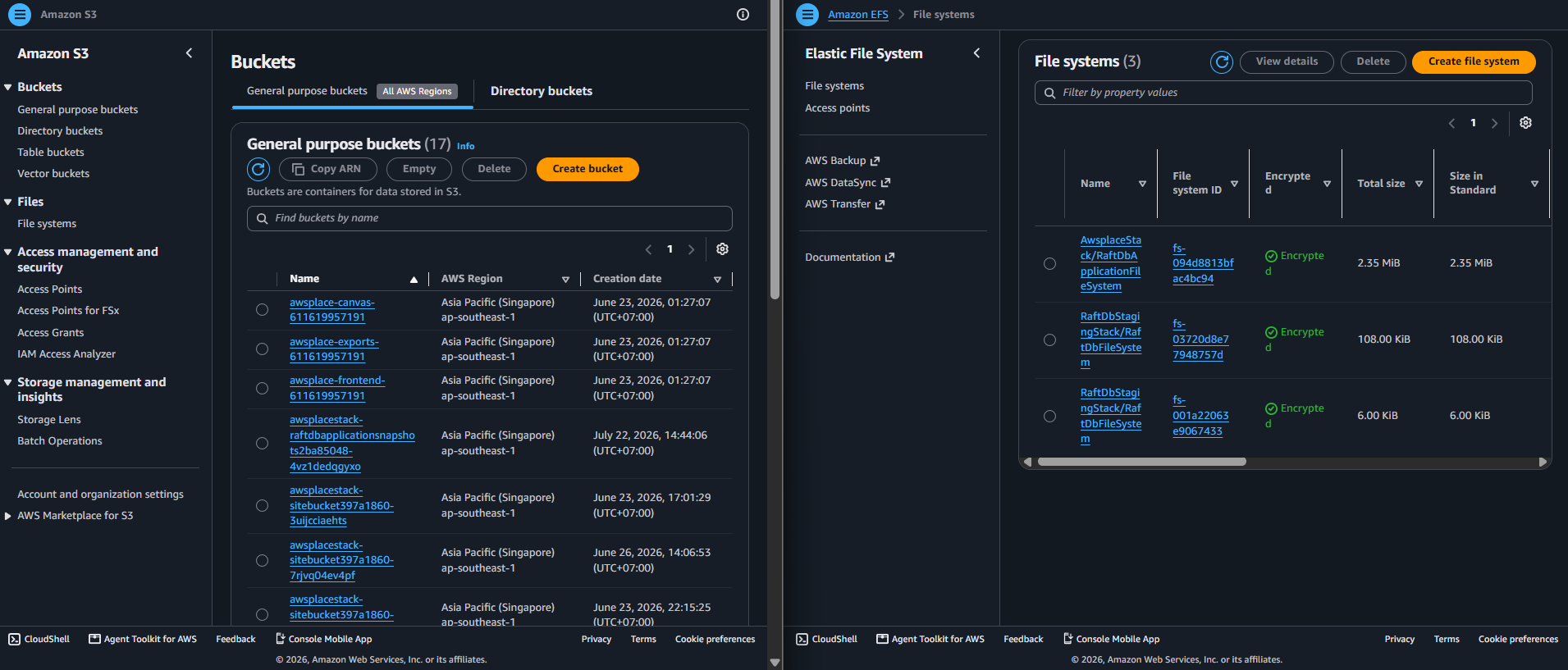
The storage layer consists of two independent modules: ECR (createEcr) for Docker image storage and S3 (createStorage) for application binary data. A third module, createRaftDbApplicationStorage, provides durable storage for the RaftDB sidecar via EFS and S3.
Module overview
| Module | File | Resources | Purpose |
|---|---|---|---|
| ECR | lib/ecr.ts | 1 ECR repository | Docker image registry (App + RaftDB) |
| S3 Storage | lib/storage.ts | 2 S3 buckets (imported) | Canvas binary + PNG exports |
| RaftDB Storage | lib/raftdb-application.ts | 1 EFS filesystem + 1 access point + 1 S3 bucket | RaftDB WAL + periodic snapshots |
1. ECR Repository
The ECR module creates a single Elastic Container Registry repository named awsplace-ecs. This repository stores both the Go application image and the RaftDB image — two different image tags/digests in the same repository.
export function createEcr(scope: Construct): EcrOutput {
  const repository = new ecr.Repository(scope, 'ApplicationRepository', {
    repositoryName: 'awsplace-ecs',
    imageScanOnPush: true,
    imageTagMutability: ecr.TagMutability.MUTABLE_WITH_EXCLUSION,
    imageTagMutabilityExclusionFilters: [
      ecr.ImageTagMutabilityExclusionFilter.wildcard('raftdb-*'),
    ],
  });

  repository.applyRemovalPolicy(RemovalPolicy.RETAIN);

  repository.addLifecycleRule({
    maxImageCount: 10,
    rulePriority: 1,
    tagStatus: ecr.TagStatus.ANY,
  });

  return { repository };
}
a) Configuration breakdown
| Feature | Value | Rationale |
|---|---|---|
| Repository name | awsplace-ecs | Shared repo — both App and RaftDB images live here; CI/CD scripts hardcode this name |
| Scan on push | true | Every pushed image is scanned by Amazon Inspector for vulnerabilities |
| Tag mutability | MUTABLE_WITH_EXCLUSION | App tags (commit SHAs) can be overwritten; raftdb-* tags are immutable |
| RaftDB tag exclusion | Wildcard raftdb-* | Immutable tags guarantee the tested image is what gets deployed |
| Lifecycle policy | Keep last 10 images | Prevents unbounded storage growth; 10 images provides rollback history |
| Removal policy | RETAIN | Survives cdk destroy — images persist across stack recreations |
b) Why RemovalPolicy.RETAIN?
The ECR repository must survive cdk destroy cycles. The sequence matters:
CI pipeline pushes image → CDK deploy creates/updates stack → ECS pulls image
If cdk destroy deleted the repository and a fresh cdk deploy re-created it, all existing image references would break. The CI pipeline would need to re-push images before the new stack could deploy. With RETAIN:
- cdk destroy leaves the repository (and its images) intact.
- cdk deploy creates a new stack with the same repository name.
- ECR allows creating a repository with the same name as a retained one — CDK auto-imports it.
c) Image chain of custody for RaftDB
RaftDB images follow a stricter chain of custody than the application image:
Build (no AWS credentials) → Export artifact → Verify identity → OIDC auth → Push to ECR
RaftDB images are always referenced by immutable SHA256 digest in the ECS task definition (see 5.4.4 ECS Compute). This is enforced at two levels:
- The ECR tag mutability exclusion prevents overwriting raftdb-* tags.
- The parseRaftDbImageDigest() function in the entry point rejects non-digest references.
d) Tag strategy comparison
| Image | Reference Type | Mutability | Why |
|---|---|---|---|
| Application (awsplace-ecs: | Mutable tag | Can be overwritten | CI/CD pushes on every commit; overwriting old SHAs is acceptable |
| RaftDB (awsplace-ecs@sha256:…) | Immutable digest | Cannot be overwritten | Qualification tests certify an exact image; no substitution allowed |
2. S3 Storage (Imported Buckets)
The storage module imports (does not create) two S3 buckets by name. This is the “import-only” pattern discussed in the design principles.
export function createStorage(scope: Construct, props?: StorageProps): StorageOutput {
  const account = props?.account ?? '';

  const canvasBucket = s3.Bucket.fromBucketName(
    scope, 'ImportedCanvasBucket',
    `awsplace-canvas-${account}`
  );

  const exportsBucket = s3.Bucket.fromBucketName(
    scope, 'ImportedExportsBucket',
    `awsplace-exports-${account}`
  );

  return { canvasBucket, exportsBucket };
}
a) Import-only pattern
| Implication | Detail |
|---|---|
| Buckets must pre-exist | Created manually or by a bootstrap script before cdk deploy |
| Buckets survive cdk destroy | Not managed by the stack — destroy leaves them intact |
| Account ID suffix | awsplace-canvas-{account} ensures unique names per AWS account |
| No bucket policy from CDK | Bucket policies are managed separately (not in CDK) |
b) Bucket purposes
| Bucket | Naming Pattern | Versioning | Content |
|---|---|---|---|
| Canvas | awsplace-canvas-{account} | Yes | canvas/canvas.bin — 4bpp nibble-packed binary, up to 32 MiB at 8000×8000 |
| Exports | awsplace-exports-{account} | No | PNG exports from export.py, served to the admin dashboard |
c) Why S3 for canvas instead of DynamoDB?
| Factor | DynamoDB | S3 |
|---|---|---|
| Item size limit | 400 KB | 5 TB (practical: no limit for this use case) |
| Max canvas at 4bpp | ~894×894 pixels (~0.8M pixels) | 8000×8000 pixels (64M pixels, 32 MiB) |
| Cost for 32 MiB | N/A (impossible) | ~$0.00074/month (Standard tier) |
| Atomic writes | Item-level | Object-level (PutObject replaces entire blob) |
| Read pattern | Random access (GetItem by PK) | Full object read (GetObject — entire canvas) |
DynamoDB is excellent for structured metadata (config, bans, milestones, history) but fundamentally unsuitable for binary blobs beyond 400 KB. S3 is the natural choice.
3. RaftDB Application Storage (EFS + S3)
The createRaftDbApplicationStorage module creates three resources for the RaftDB sidecar’s durable storage:
export function createRaftDbApplicationStorage(
  scope: Construct,
  props: { vpc: ec2.Vpc; taskRole: iam.Role },
): RaftDbApplicationStorage {
  const snapshotBucket = new s3.Bucket(scope, 'RaftDbApplicationSnapshots', {
    versioned: true,
    encryption: s3.BucketEncryption.S3_MANAGED,
    blockPublicAccess: s3.BlockPublicAccess.BLOCK_ALL,
    enforceSSL: true,
    minimumTLSVersion: 1.2,
    removalPolicy: RemovalPolicy.DESTROY,
    autoDeleteObjects: true,
    lifecycleRules: [{
      noncurrentVersionExpiration: Duration.days(35),
      abortIncompleteMultipartUploadAfter: Duration.days(1),
    }],
  });

  const fileSystem = new efs.FileSystem(scope, 'RaftDbApplicationFileSystem', {
    vpc: props.vpc,
    vpcSubnets: { subnetType: ec2.SubnetType.PUBLIC },
    encrypted: true,
    removalPolicy: RemovalPolicy.DESTROY,
  });

  const accessPoint = fileSystem.addAccessPoint('ApplicationAccessPoint', {
    path: '/raftdb/production/member-1',
    createAcl: { ownerUid: '10001', ownerGid: '10001', permissions: '0750' },
    posixUser: { uid: '10001', gid: '10001' },
  });

  // Task role needs EFS mount + write permissions scoped to this access point
  props.taskRole.addToPrincipalPolicy(new iam.PolicyStatement({
    actions: ['elasticfilesystem:ClientMount', 'elasticfilesystem:ClientWrite'],
    resources: [fileSystem.fileSystemArn],
    conditions: {
      StringEquals: {
        'elasticfilesystem:AccessPointArn': accessPoint.accessPointArn,
      },
    },
  }));

  return { fileSystem, accessPoint, snapshotBucket };
}
a) Storage resource summary
| Resource | Type | Key Settings | Purpose |
|---|---|---|---|
| EFS FileSystem | efs.FileSystem | Encrypted, public subnet mount targets | Durable WAL storage for RaftDB |
| EFS AccessPoint | efs.AccessPoint | UID/GID 10001:10001, permissions 0750, path /raftdb/production/member-1 | Enforces POSIX ownership — only the RaftDB user can read/write WAL data |
| S3 Snapshot Bucket | s3.Bucket | Versioned, S3-managed encryption, 35-day noncurrent expiration, TLS 1.2 enforced | Periodic RaftDB snapshots for disaster recovery |
b) EFS access point enforcement
The access point is the critical security control for RaftDB storage:
EFS Access Point
  ├── path: /raftdb/production/member-1
  ├── POSIX user: 10001:10001 (RaftDB process)
  ├── ACL: ownerUid=10001, ownerGid=10001, permissions=0750
  │
  └── IAM condition: elasticfilesystem:AccessPointArn == this access point ARN
Even if another process in the ECS task tried to access the EFS filesystem, it would be denied — the IAM policy is conditioned on the specific access point ARN, and the access point enforces UID/GID 10001.
c) Snapshot bucket lifecycle
| Rule | Value | Purpose |
|---|---|---|
| Versioning | Enabled | Every snapshot write creates a new version — no data loss on overwrite |
| Noncurrent expiration | 35 days | Old snapshot versions are cleaned up after 35 days |
| Incomplete multipart abort | 1 day | Prevents orphaned multipart uploads from accumulating charges |
| Encryption | S3-managed (SSE-S3) | All snapshots encrypted at rest |
| TLS enforcement | enforceSSL: true, minimum TLS 1.2 | No plaintext transport to the bucket |
| Removal policy | DESTROY with autoDeleteObjects: true | This bucket IS stack-managed — cdk destroy cleans it up (unlike the canvas/exports buckets) |
d) Why different removal policies?
| Resource | Removal Policy | Rationale |
|---|---|---|
| ECR Repository | RETAIN | CI publishes images before stack exists; must survive destroy |
| Canvas/Exports S3 buckets | N/A (imported) | Not created by CDK — inherently survive destroy |
| RaftDB EFS | DESTROY | Ephemeral WAL data; safe to recreate |
| RaftDB S3 Snapshots | DESTROY + autoDeleteObjects | Snapshots are periodic and can be regenerated; auto-cleanup prevents orphaned charges |