Lambda, API Gateway & Amplify
Three modules together form the serverless frontend-serving and authentication layer: Lambda for OAuth + admin proxy, API Gateway for HTTP routing, and Amplify for frontend hosting. These modules are independent of the ECS compute layer — the Lambda reaches the ECS ALB over the public internet, not through VPC networking.
Module overview
| Module | File | Resources | Purpose |
|---|---|---|---|
| Lambda | lib/lambda.ts | 1 Lambda function + 1 Secrets Manager secret | Discord OAuth2 flow, JWT session management, admin proxy |
| API Gateway | lib/apigw.ts | HTTP API v2 + custom domain + Route 53 record | Routes all HTTP requests to Lambda |
| Amplify | lib/amplify.ts | Amplify App + Branch + Domain | Frontend SPA hosting with custom domain |
1. Lambda Function
The Lambda module creates a Node.js 24 Lambda function and a Secrets Manager secret for application credentials.
export function createLambda(scope: Construct, input: LambdaInput): LambdaOutput {
  const { iam, domainName, sessionSecretValue, discordClientId,
          discordClientSecret, discordRedirectUri, adminDiscordIds } = input;

  // Secrets Manager — stores OAuth credentials + session secret
  const appSecret = new secretsmanager.Secret(scope, 'AppSecret', {
    secretName: 'awsplace/app-secrets',
    secretStringValue: SecretValue.unsafePlainText(JSON.stringify({
      SESSION_SECRET: sessionSecretValue,
      DISCORD_CLIENT_ID: discordClientId,
      DISCORD_CLIENT_SECRET: discordClientSecret,
      DISCORD_REDIRECT_URI: discordRedirectUri,
      ADMIN_DISCORD_IDS: adminDiscordIds,
    })),
  });
  appSecret.applyRemovalPolicy(RemovalPolicy.RETAIN);

  // Lambda function — Express.js wrapped for serverless
  const apiFunction = new lambda.Function(scope, 'ApiFunction', {
    runtime: lambda.Runtime.NODEJS_24_X,
    handler: 'index.handler',
    code: lambda.Code.fromAsset('../lambda'),
    role: iam.lambdaExecutionRole,
    timeout: Duration.seconds(30),
    memorySize: 512,
    environment: {
      NODE_ENV: 'production',
      DISCORD_CLIENT_ID: discordClientId,
      DISCORD_CLIENT_SECRET: discordClientSecret,
      DISCORD_REDIRECT_URI: discordRedirectUri,
      ADMIN_DISCORD_IDS: adminDiscordIds,
      SESSION_SECRET_ARN: appSecret.secretArn,
      DOMAIN_NAME: domainName,
      ECS_ALB_DNS: input.ecsAlbDns,
    },
  });

  return { apiFunction, appSecret };
}
a) Lambda specification
| Setting | Value | Reason |
|---|---|---|
| Runtime | NODEJS_24_X | Latest available Node.js runtime in AWS |
| Memory | 512 MB | Sufficient for Express + JWT operations + proxy forwarding |
| Timeout | 30 seconds | Covers Discord OAuth exchange (up to ~10s network latency) + admin proxy request |
| Handler | index.handler | Entry point wraps Express via @vendia/serverless-express |
| Code source | ../lambda directory | Deployed as an asset from the local filesystem |
b) Lambda responsibilities
| Route | Handler | Description |
|---|---|---|
| GET /auth/login | auth.login | Redirects user to Discord OAuth2 authorization page |
| GET /auth/callback | auth.callback | Exchanges authorization code for tokens, sets rplace_session cookie |
| GET /auth/logout | auth.logout | Clears session cookie |
| GET /api/me | auth.me | Returns current user info from JWT session |
| ALL /api/admin/* | admin.proxy | Forwards admin requests to ECS ALB after authorization checks |
Auth flow:
Browser → api.domain.com/auth/login → Discord OAuth → /auth/callback → JWT cookie set → SPA reads /api/me
Admin proxy flow:
Admin SPA → api.domain.com/api/admin/... → Lambda (enforce requireAdmin) → ECS ALB → Go server
c) Secrets Manager secret
The awsplace/app-secrets secret stores a JSON object with 5 fields:
{
  "SESSION_SECRET": "<256-bit random>",
  "DISCORD_CLIENT_ID": "<Discord app client ID>",
  "DISCORD_CLIENT_SECRET": "<Discord app client secret>",
  "DISCORD_REDIRECT_URI": "https://api.place.namanhishere.com/auth/callback",
  "ADMIN_DISCORD_IDS": "123456789,987654321"
}
This secret has RemovalPolicy.RETAIN so a destroyed stack can immediately re-import it. Secrets Manager enforces a recovery window (default 30 days) for deleted secrets — during that window, the secret name is reserved and cannot be reused. RETAIN avoids this problem.
Critical: secret sync between Lambda and ECS. Lambda receives secret values at CDK synthesis time via environment variables. ECS receives them at container startup time via the secrets field. When rotating secrets:
| Step | Lambda | ECS |
|---|---|---|
| 1. Update secret value in Secrets Manager | No effect yet | No effect yet |
| 2. Re-deploy Lambda (new env vars) | ✅ New values active | — |
| 3. Force ECS task restart | — | ✅ New values active |
Both layers must be updated for a full secret rotation. The Lambda deployment is the trigger — ECS picks up new values on the next task restart.
2. API Gateway
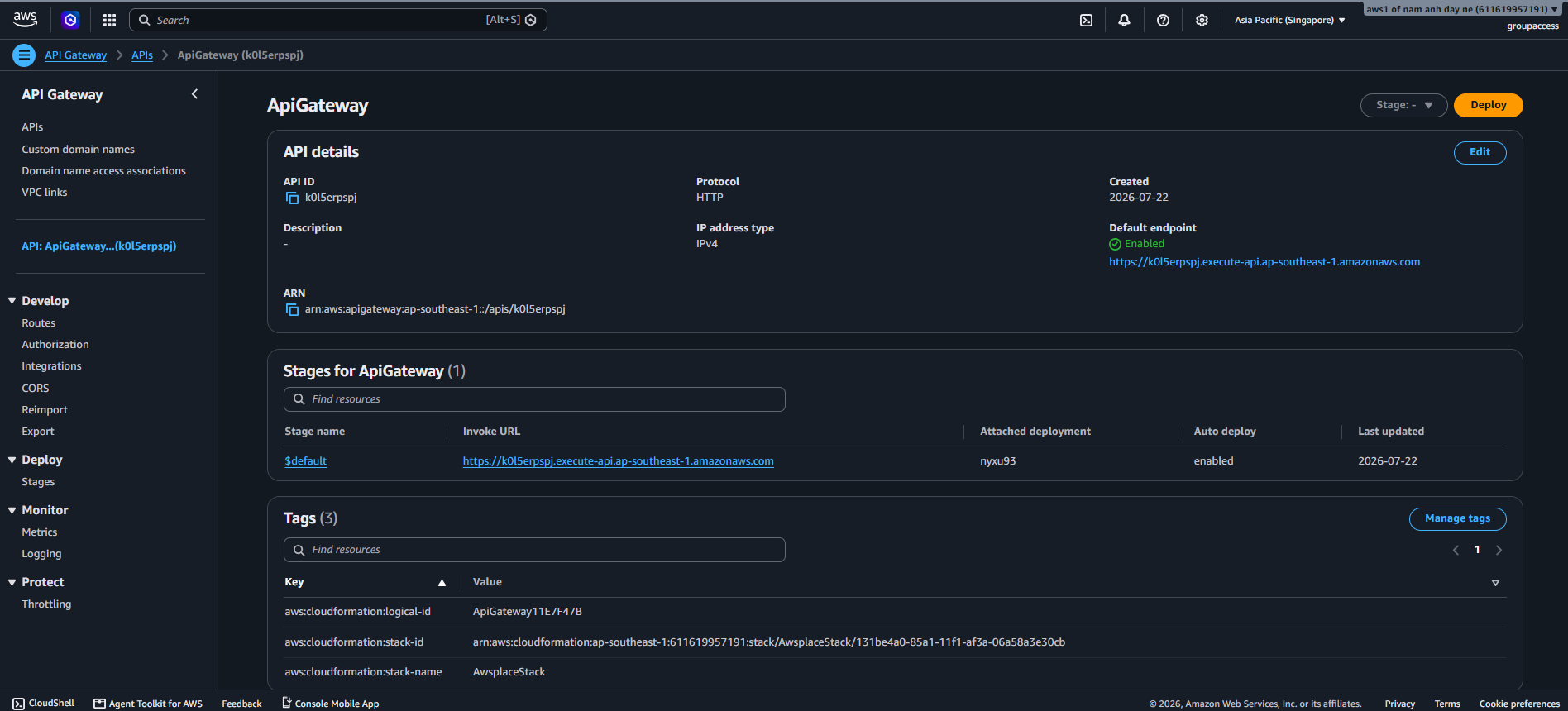
The API Gateway module creates an HTTP API v2 (not REST API v1) with a single $default route that forwards all requests to the Lambda function.
export function createApiGateway(
  scope: Construct,
  lambda: LambdaOutput,
  input: ApiGatewayInput
): ApiGatewayOutput {
  const { domainName, hostedZone, wildcardCert } = input;

  const api = new apigatewayv2.HttpApi(scope, 'ApiGateway', {
    corsPreflight: {
      allowOrigins: [`https://${domainName}`],
      allowMethods: [
        apigatewayv2.CorsHttpMethod.GET,
        apigatewayv2.CorsHttpMethod.POST,
        apigatewayv2.CorsHttpMethod.PUT,
        apigatewayv2.CorsHttpMethod.DELETE,
        apigatewayv2.CorsHttpMethod.OPTIONS,
      ],
      allowHeaders: ['content-type', 'authorization'],
      allowCredentials: true,
      maxAge: Duration.days(1),
    },
    defaultIntegration: new HttpLambdaIntegration(
      'LambdaIntegration',
      lambda.apiFunction
    ),
  });

  // Custom domain: api.<domainName>
  const apiDomainName = new apigatewayv2.DomainName(scope, 'CustomDomain', {
    domainName: `api.${domainName}`,
    certificate: wildcardCert,
  });

  new apigatewayv2.ApiMapping(scope, 'ApiMapping', {
    api,
    domainName: apiDomainName,
    stage: api.defaultStage!,
  });

  // Route 53: api.<domainName> → API Gateway
  new route53.ARecord(scope, 'ApiRecord', {
    zone: hostedZone,
    recordName: `api.${domainName}`,
    target: route53.RecordTarget.fromAlias(
      new targets.ApiGatewayv2DomainProperties(
        apiDomainName.regionalDomainName,
        apiDomainName.regionalHostedZoneId
      )
    ),
  });

  return { api };
}
a) Why HTTP API v2 (not REST API v1)?
| Factor | HTTP API v2 | REST API v1 |
|---|---|---|
| Cost per million requests | ~$1.00 | ~$3.50 |
| Cold start latency | Lower (simpler proxy architecture) | Higher |
| Features | No API keys, usage plans, request validation, or caching | Full feature set |
| Payload format | 2.0 only | 1.0 or 2.0 |
For this application, the Lambda handles all routing internally via Express — the API Gateway just needs to pass everything through. HTTP API v2 is the simpler, cheaper, faster choice. API keys, usage plans, and request validation are unnecessary because auth happens inside the Lambda.
b) CORS configuration
corsPreflight: {
  allowOrigins: [`https://${domainName}`],
  allowMethods: [GET, POST, PUT, DELETE, OPTIONS],
  allowHeaders: ['content-type', 'authorization'],
  allowCredentials: true,
  maxAge: Duration.days(1),
}
| Setting | Value | Why |
|---|---|---|
| allowOrigins | https:// | Only the production frontend origin — no wildcard |
| allowCredentials | true | Required for the rplace_session cookie to be sent cross-subdomain |
| allowHeaders | content-type, authorization | Only the headers the SPA actually sends |
| maxAge | 1 day (86400 seconds) | Browsers cache preflight results — reduces OPTIONS requests |
The allowCredentials: true setting is critical. Without it, the browser would not attach the rplace_session cookie to cross-subdomain API calls (from domain.com to api.domain.com).
c) Split-domain architecture
┌────────────────────────────────────────────────────────────┐
│  Route 53 Hosted Zone: place.namanhishere.com              │
│                                                            │
│  domain.com          → Amplify (managed TLS)               │
│  ├── /               → Canvas SPA (index.html)             │
│  └── /admin.html     → Admin SPA (real .html file)         │
│                                                            │
│  api.domain.com      → API Gateway (wildcard cert)         │
│  ├── /auth/*         → Lambda: Discord OAuth               │
│  ├── /api/me         → Lambda: session info                │
│  └── /api/admin/*    → Lambda: proxy to ECS                │
│                                                            │
│  ws.domain.com       → ALB (wildcard cert)                 │
│  └── wss://          → ECS: WebSocket connections          │
└────────────────────────────────────────────────────────────┘
Cookie domain: The rplace_session cookie is set on the parent domain (.place.namanhishere.com) so it is visible to both domain.com and api.domain.com.
3. Amplify Hosting
The Amplify module creates an Amplify Hosting app for the frontend with custom rewrite rules for SPA routing.
export function createAmplify(scope: Construct, props: AmplifyProps): AmplifyOutput {
  const { domainName, appName } = props;

  const app = new amplify.App(scope, 'AmplifyApp', { appName });

  // SPA rewrite — preserves .html files for admin dashboard
  app.addCustomRule(new amplify.CustomRule({
    source: '</^[^.]+$|\\.(?!(css|gif|ico|jpg|js|png|txt|svg|woff|woff2|ttf|map|json|webmanifest|html)$)([^.]+$)/>',
    target: '/index.html',
    status: amplify.RedirectStatus.REWRITE,
  }));

  // Fallback for unmatched paths
  app.addCustomRule(new amplify.CustomRule({
    source: '/<*>',
    target: '/index.html',
    status: amplify.RedirectStatus.NOT_FOUND_REWRITE,
  }));

  const branch = app.addBranch('production', { branchName: 'production' });
  const domain = app.addDomain(domainName, { enableAutoSubdomain: false });
  domain.mapRoot(branch);

  return { app, branch, domain };
}
a) Rewrite rules explained
Rule 1 — SPA rewrite with .html exception:
Source: </^[^.]+$|\.(?!(css|gif|ico|jpg|js|png|txt|svg|woff|woff2|ttf|map|json|webmanifest|html)$)([^.]+$)/>
Target: /index.html
Status: 200 (REWRITE — URL stays the same, index.html is served)
This regex matches:
- Extension-less paths (/about, /canvas) → rewritten to /index.html (SPA routing)
- Paths with extensions NOT in the allowlist → rewritten to /index.html
It does not match:
- /admin.html (html is in the allowlist) → served as a real file
- /style.css (css is in the allowlist) → served as a real file
- /app.js (js is in the allowlist) → served as a real file
Rule 2 — Fallback catch-all:
Source: /<*>
Target: /index.html
Status: 404 (NOT_FOUND_REWRITE — returns 404 status but serves index.html)
This catch-all ensures any truly unmatched path gets the SPA shell with a 404 status code (so the SPA can show a custom 404 page).
b) Key design choices
| Choice | Implementation | Rationale |
|---|---|---|
| No source-code provider | Frontend is deployed as a .zip from CI, not pulled from a Git repo | Full control over the build process; no Amplify build limitations |
| SPA rewrite with admin exception | .html extension is in the allowlist → /admin.html is a real file | The admin dashboard is a separate SPA, not part of the canvas SPA shell |
| Amplify-managed TLS | Amplify provisions its own ACM certificate for the root domain | Separate from the wildcard ACM cert used for api. and ws. subdomains |
| No auto-subdomain | enableAutoSubdomain: false | Prevents Amplify from creating subdomain records that conflict with existing Route 53 records |
| Production branch | branchName: ‘production’ | The CI pipeline deploys to this specific branch name |
c) CI/CD frontend deploy flow
The frontend is deployed from CI (not from Amplify’s Git integration):
1. Build    → bash scripts/build-frontend.sh
              ├── Injects brand tokens (colors, logos, title)
              ├── Injects WS_URL (wss://ws.<domain>)
              └── Outputs dist/ directory

2. Zip      → cd dist && zip -r ../frontend.zip .

3. Slot     → aws amplify create-deployment --app-id $APP_ID --branch-name production
              Returns: jobId + pre-signed S3 upload URL

4. Upload   → curl --upload-file frontend.zip $UPLOAD_URL

5. Start    → aws amplify start-deployment --app-id $APP_ID --branch-name production --job-id $JOB_ID

6. Poll     → aws amplify get-job --app-id $APP_ID --branch-name production --job-id $JOB_ID
              Wait until status is SUCCEED or FAILED
This manual zip-deploy approach decouples the frontend build from AWS — the CI pipeline handles building, and Amplify only handles hosting and TLS.